
Formatting
No description yet
 Excel Tips
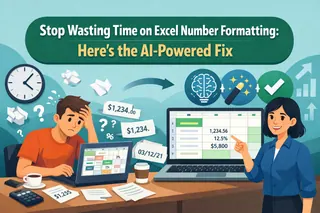
Stop Wasting Time on Excel Number Formatting: Here’s the AI-Powered Fix
Tired of manually fixing inconsistent dates, currencies, and numbers in your reports? This guide compares the tedious traditional method of custom format codes with a new, faster way using an Excel AI like Excelmatic to get perfectly formatted data with simple text commands.
Ruby • Excel Automation
Stop Fighting with Excel's TEXT Function: A Smarter Way to Format Data with AI
Tired of wrestling with complex TEXT formulas just to create a simple report summary? Forget memorizing format codes! Discover how Excelmatic's AI lets you use plain English to combine dates, numbers, and text effortlessly, saving you time and preventing formula errors.
Ruby • Data Cleaning
Stop Fighting Excel Number Formats: How AI Can Fix Your Data in Seconds
Your sales report has mixed-up dates and currencies, and it's a mess. Instead of clicking through endless 'Format Cells' menus, what if you could just tell Excel what you want? Discover how Excelmatic's AI turns tedious formatting tasks into a simple conversation.
Ruby • Excel Automation
Stop Manually Striking Through Tasks in Excel: Here’s How to Automate It with AI
Manually striking through completed tasks in your Excel to-do list is tedious and error-prone. What if you could just tell Excel what to do? Discover how an Excel AI agent like Excelmatic can automate strikethrough and other formatting rules with simple language commands, saving you time and keeping your project trackers perfectly up-to-date.
Ruby • Excel Automation
Stop Tedious Formatting: Automate Excel Cell Styling with AI Instead of Macros
Stop wasting hours on manual formatting! While Excel macros offer some relief, they come with a steep learning curve. Discover how an Excel AI agent like Excelmatic can automate complex formatting tasks in seconds, just by using plain English.
Ruby • Excel Tips
A Practical Guide to Changing Date Formats in Excel
From ####### errors to mixed US/EU formats, handling dates in Excel can be a nightmare. This guide walks you through the manual fixes—using Format Cells, formulas, and Text to Columns—and introduces a revolutionary AI solution that solves these problems with simple English commands.
Ruby • Data Analytics
How to Automate Performance Ratings in Excel (Without Formulas)
Tired of building fragile nested IF formulas for performance ratings? This guide shows you how to automate the entire grading process in Excel using one simple English command. Turn scores into ratings in seconds and eliminate manual errors for good.
Gianna • Calculation
Fix VLOOKUP Errors: How to Remove All Extra Spaces with One Command
Your VLOOKUP formula is perfect, but it still fails. The silent killer? Invisible spaces. Discover how Excelmatic lets you clean your entire messy sheet with a single sentence, making your formulas work instantly and saving you hours of frustrating detective work.
Gianna •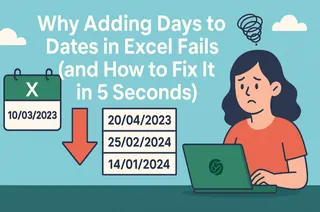 Excel Tips
Why Adding Days to Dates in Excel Fails (and How to Fix It in 5 Seconds)
Calculating deadlines in Excel often breaks with a #VALUE! error due to inconsistent date formats. This guide reveals how Excelmatic’s AI solves this by interpreting a single command to clean, convert, and calculate dates instantly—no more manual fixes.
Gianna •