Excel AI for Supply Chain & Inventory Leaders
Clear Inventory Understanding. Faster Planning Decisions.
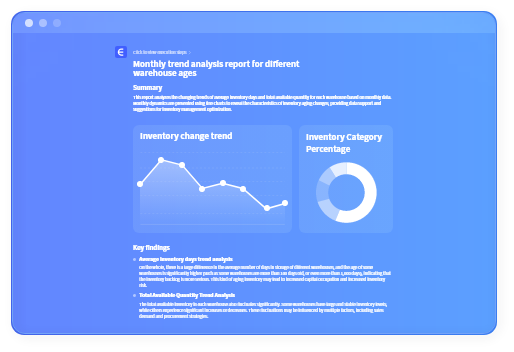
Turn ERP exports, WMS reports, and Excel files into clear answers about inventory status and changes — without rebuilding inventory template files or manual modeling. Ask questions in any language.
Get charts, breakdowns, and planning-ready views via ai spreadsheet analysis in minutes — not days.

The Reality of Supply Chain & Inventory Reporting Today
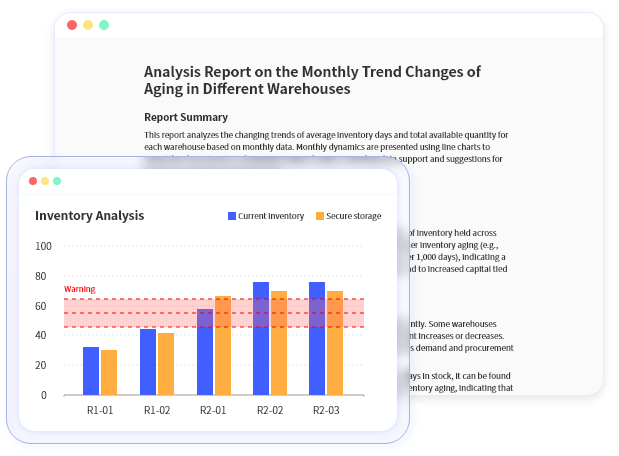
Inventory and ai logistics reporting should help teams understand what's happening and decide what to do next.
But for most teams, working with data still takes more effort than it should.
Who This Is For
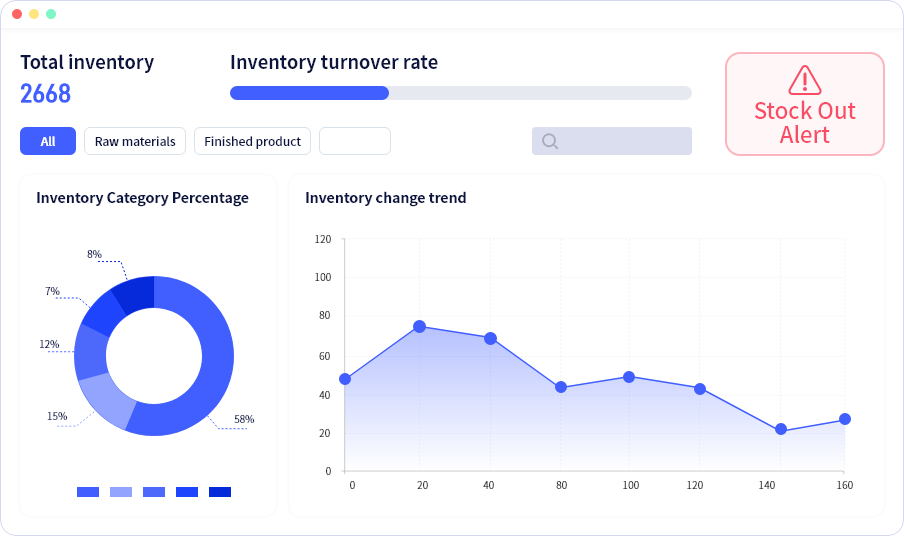
If you're responsible for inventory levels, availability, or planning decisions — this is built for you.

Artificial intelligence warehouse & Operations Managers
Procurement analytics & Supply Planning Teams
Procurement & Supply Planning Teams
E-commerce Inventory & Ops Leaders
Supply Chain Managers & Planners
Inventory & Operations Managers
Common Challenges

Inventory data exists, but answers are slow
ERP and WMS exports contain the data — but turning them into answers with ai for inventory management automation takes time.

Questions change faster than reports
Questions change faster than reports: Each new question means re-filtering, regrouping, or rebuilding an equipment tracking sheet.

Visibility is
fragmented
Different files for SKUs, locations, channels, and time periods — hard to see the full picture of ai in supply chain quickly.

Too much time spent preparing, not deciding
Too much time spent preparing, not deciding: Effort goes into making data usable instead of evaluating what action to take. If this feels familiar, Excelmatic is designed to help.
The AI Inventory & Supply Chain Analyst for You
Excelmatic AI works like an AI analyst for your uploaded files.
After you upload Excel, CSV, PDF, or image files, Excelmatic performs generative ai in supply chain analysis and turns it into:
 Inventory status and movement views
  Change and trend analysis
  Planning-ready charts and summaries
  Shareable inventory reports
 No setup. No complex models. Just answers based on your data.
Get Answers From Your Data — Instantly
Inventory Status & Change Analysis
Understand current inventory levels and how they've changed over time across SKUs or locations.
Inventory Movement & Imbalance Review
Identify unusual movements, concentration, or imbalances using your uploaded data.
Natural Language Inventory Questions
Ask questions like 'Which products changed the most this month?' and get clear charts via chatgpt excel.
Automated Inventory Reporting
Generate regular inventory summaries and export charts for sharing or review.
What You Can Do With Excelmatic AI
Through A Simple Conversation
Core Features
Inventory & Trend Analysis
Analyze inventory status and changes using uploaded Excel and report files.
Inventory Movement & Visibility
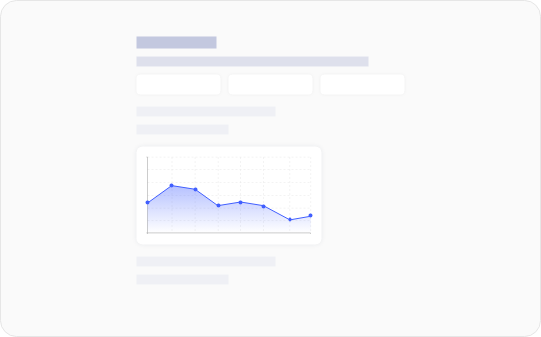
Review movement and distribution across SKUs, locations, or time periods.

Natural Language Data Analysis
Ask questions in plain English and get structured answers from your files.

Automated Inventory Reporting
Generate and export charts and summaries for planning and review.

Supply Chain and Inventory Management
Excelmatic supports teams that work with inventory, supply chain, and operations data stored in Excel, PDFs, and reports.
Upload your files, analyze them, and get clear visibility into stock, movement, and trends.
For Supply Chain & Demand Planning Teams
(Core users)
Analyze demand and inventory trends over time
Review inventory levels across warehouses and regions
Support planning and replenishment decisions
Prepare regular excel for supply chain analysis reports
For Inventory & Operations Managers
(Day-to-day execution users)
Monitor stock movement and inventory balance
Identify slow-moving or fast-moving items
Review inventory status by SKU, category, or location
Support weekly and monthly inventory reviews
For E-commerce Inventory & Operations Teams
(Multi-channel inventory users)
Analyze sales and inventory data across channels
Track inventory performance by product or category
Review promotion and seasonality impact
Align inventory levels with sales trends
For Procurement & Supply Planning Teams
(Upstream / supplier-facing users)
Review purchasing and inventory data together
Analyze supplier-related inventory patterns
Support ordering and supply planning discussions
Prepare sourcing and inventory reports
How Excelmatic works
Watch Excelmatic in Action
What Inventory & Ops Leaders Say

Ethan Carter
Supply Chain Manager
We can understand inventory changes without rebuilding reports.

Olivia Hart
Operations Lead
Weekly inventory reviews are much faster now.

Lucas Bennett
Inventory Planner
It's easier to explain what's happening using the same files.
Excelmatic vs Traditional Inventory Tools
Why teams move beyond manual Excel workflows and static reports:
Pricing for Every Sales Team
Try Excelmatic free — no credit card required. See how much time you save on your very next weekly or monthly report.

Essential
Billed monthly.
- 150 chat messages / month
- 5 uploaded files / chat
- 50M file upload limit
- Chat history saved for 180 days
- 150 image to excel / month
- 10 excel to dashboard / month
- 20 editable blocks / dashboard
- Available dashboard themes: 4
- Basic analysis
- All Charts
- Template generation
- Storage Space: 500M
- Download excel
- Download charts
- Email support
Professional
Billed monthly.
- Everything in Essential, plus
- Unlimited chat messages
- 10 uploaded files / chat
- 100M file upload limit
- Chat history saved for 360 days
- Unlimited image to excel
- 30 excel to dashboard / month
- 30 editable blocks / dashboard
- Available dashboard themes: 6
- Model analysis & prediction
- All Charts + Custom theme
- Storage Space: 1GB
- Exclusive support


Premium
Billed monthly.
- Everything in Professional, plus
- 30 uploaded files / chat
- 300M file upload limit
- 100 excel to dashboard / month
- Unlimited editable blocks
- All dashboard themes available
- Storage Space: 10GB
FAQ
Is inventory data secure?
Yes. Enterprise-grade encryption and data handling.
Does it work with ERP or WMS exports?
Yes — common Excel, CSV, and PDF exports are supported.
Do I need to rebuild my spreadsheets?
No. Excelmatic analyzes uploaded files as they are.
Can I export results?
Yes — charts and summaries can be exported.
Understand your inventory faster.
Support planning with clarity.
Make decisions using the data you already have.