
One-Click Dashboard
Sometimes, you don't need a conversation—you just need the answers at a glance. The Excel To Dashboard engine is designed for visual-first professionals who want to turn complex tables into interactive KPI hubs instantly.
1. The Goal
Skip the manual chart-building process and go straight to the insights:
- Visual Summaries: Automatically identify key metrics and visualize them in professional charts.
- Instant KPI Cards: See your totals (Revenue, Units, Profit) in high-impact summary cards at the top.
- Meeting-Ready Views: A clean, organized layout designed for screenshots or live presentations.
2. One-Step Execution
Step 1: Select the Engine
On the sidebar, switch to the Excel To Dashboard engine.
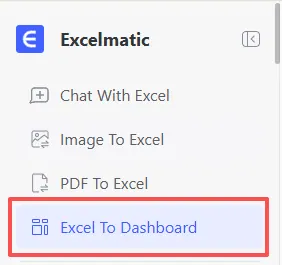
Step 2: Upload & Go
Simply drop your spreadsheet into the drop zone. Excelmatic will scan your columns and build a custom dashboard for you in seconds.
Step 3: Refine with Plain Language
Want to see the data differently? Just tell the AI what to change.
Recommended Command:
Show me the distribution of revenue by Sales Manager and add a KPI card for the average Profit Margin across all product lines.
3. Why This Works for You
- The "Wow" Factor: Transform a boring CSV into a colorful, professional dashboard that impresses stakeholders.
- Dynamic Interactivity: Hover over charts to see specific data points without clicking through cells.
- No Design Skills Needed: AI handles the layout, colors, and chart selection so you can focus on the business decisions.
Next Step: Learn how the experts use Excelmatic in Use Cases by Role.
Ready to visualize your success?
Don't let your data sit in static rows. Upload your file to the Dashboard engine now and see your business KPIs come to life in seconds.
📊 Create Your Dashboard