
Supported Files & Limits
At Excelmatic, we believe you shouldn't have to worry about file formats. Our AI is designed to read your data wherever it lives—whether it's a messy spreadsheet, a scanned PDF, or a screenshot of a dashboard.
1. What Files Can I Upload?
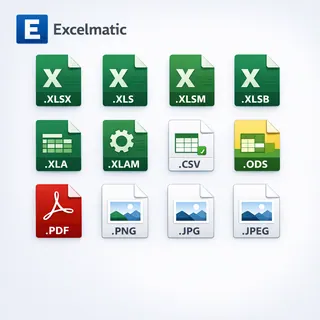
You can upload a wide range of formats across the platform. Our engines automatically adapt to your data structure:
- Excel Workbooks:
.xlsx,.xls,.xlsm,.xlsb - Excel Add-ins & Legacy:
.xla,.xlam - Open Formats:
.csv,.ods - Documents & Scans:
.pdf(Digital reports or multi-page scans) - Images:
.png,.jpg,.jpeg(Screenshots, photos, or mobile captures)
2. Drag, Drop, and Done
You don't need to be a technical expert. Simply drag your file into the workspace, and Excelmatic will handle the rest:
- For Tables: We extract rows and columns with 99% accuracy.
- For Insights: We turn raw numbers into executive summaries instantly.
- For Charts: We visualize your data into boardroom-ready dashboards.

3. Capacity & Performance
Excelmatic is engineered to handle professional-grade business data at scale. Here’s what you can expect in terms of processing capacity and performance:
| Metric | Capacity | Benefit |
|---|---|---|
| Data Volume | Standard to Massive Datasets | Optimized for everything from monthly reports to multi-year CRM exports. |
| Processing Speed | Near-instant for typical files | Enables real-time conversation and iterative analysis with the AI. |
| Complexity | High-Dimensional Tables | Capable of handling multi-layered headers and complex KPIs. |
| Output Fidelity | Full .xlsx Export | Get your results in a native Excel format with all AI logic applied. |
Tip: For the absolute fastest experience, keeping your files focused and well-structured allows the AI to dedicate maximum reasoning power to your analysis.
4. Pro-Tips for the Best Experience
- Unlock Your Files: Ensure your files are not password-protected.
- Stay Sharp: For PDF and Image uploads, clearer text leads to faster results.
- One-Click Export: You can always export your final results back to a clean, formatted .xlsx file.
Next Step: Ready to solve complex business problems? Explore Decision Workflowsto get started.