
Decision Workflows
Excelmatic is built to handle end-to-end business processes, not just isolated data tasks. These workflows are designed to help you prepare for meetings, monitor KPIs, and forecast growth with zero manual effort.
1. Why Use Workflows?
Instead of performing manual "clean, merge, and pivot" steps, Workflows allow you to state your Business Goal. The AI then coordinates the necessary technical steps to reach that outcome.
2. Standard Business Workflows
Choose the workflow that matches your current business cycle:
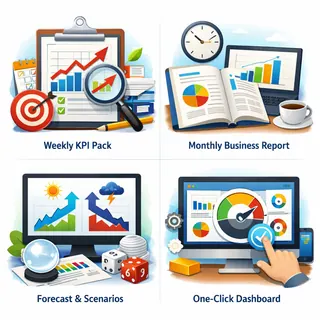
- Weekly KPI Pack: Standardize multi-source metrics into a single leadership dashboard.
- Monthly Business Report: Combine data analysis with automated executive commentary.
- Forecast & Scenarios: Predict future outcomes and test "What-If" scenarios to de-risk your strategy.
- One-Click Dashboard: Instantly transform any static spreadsheet into a visual KPI hub.
3. Explore by Industry & Role
Not sure which workflow fits your daily routine? We have tailored examples for different professional contexts:
💡 Role-Based Guides: See how experts in Finance, Marketing, Sales, and Operations use these workflows to drive results. 👉 Explore Industry Use Cases →
4. How to Start a Workflow
- Select Your Goal: Pick a workflow from the sidebar or choose a role-specific scenario above.
- Upload Relevant Files: Drag in exports from your CRM, ERP, or internal spreadsheets.
- Refine with AI: Use natural language to adjust the summary, change visual styles, or add specific business logic.
Next Step: Prepare for your upcoming leadership meeting with a Weekly KPI Pack or explore specific Use Cases by Role.