Key takeaways:
- Predictive analytics is a critical investment, yet many tools are underutilized. This guide cuts through the noise by reviewing and comparing top tools to prevent wasted spending.
- The market offers diverse solutions. From Alteryx for analysts to SAS for data scientists and ThoughtSpot for business users, the right tool depends entirely on your team's existing skills and workflow.
- The key to choosing is user-centricity. Map the tool's primary interface (code, visual workflows, spreadsheets, search) to your team's daily competencies to ensure adoption and value.
- For teams entrenched in spreadsheets, Excelmatic provides a unique advantage by embedding AI-powered predictive analytics directly into Excel/Sheets, offering immediate utility with no learning curve.
A Fortune 500 retail giant reduced its monthly financial closing cycle from 7 days to just 48 hours, not by hiring more analysts, but by empowering its existing team with the right predictive tool.
Research shows that despite spending an average of $1.9 million on GenAI projects in 2025, less than 30% of AI leaders are happy with their return. Why? Because true value emerges not from the most powerful algorithm, but from the tool that perfectly aligns with your team's skills, your data, and your business goals. A sophisticated platform that sits unused on a digital shelf is a cost, not an asset.
Predictive analytics is the crucial bridge between historical data and future strategy. It uses machine learning and statistical models on past information to forecast outcomes — be it customer churn, market shifts, or supply chain disruptions. This guide cuts through the noise to review top tools, starting with a standout choice for spreadsheet-centric professionals, and provides a framework to choose your perfect fit.
Deep analysis of the top ten predictive analysis tools
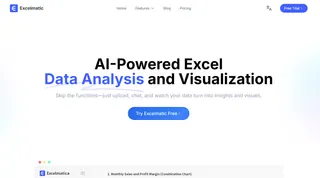
1. Excelmatic:
Excelmatic is a premier, web-based AI tool designed to bring predictive analytics directly into the spreadsheet environment. It empowers professionals to perform forecasting and advanced analysis on their Excel and Google Sheets data instantly, without requiring statistical expertise or coding.
Core Features & Strengths:
- AI-Powered Predictive Engine: Excelmatic analyzes historical data within your spreadsheets to identify trends, run predictive models, and generate forecasts for sales, demand, financial performance, and more, transforming static numbers into forward-looking insights.
- No-Code Predictive Queries: It operationalizes predictive analytics through a conversational interface. Users simply ask questions in natural language (e.g., "Predict next quarter's revenue based on past trends" or "Forecast inventory demand"), and the AI builds and executes the corresponding predictive models.
- Comprehensive Forecasting Functions: The tool offers a suite of functionality specifically for prediction, including time-series forecasting, trend analysis, scenario modeling ("what-if" analysis), and anomaly detection to identify outliers that may impact future results.
- Seamless Workflow Integration: It integrates predictive analytics directly into the planning and reporting workflow. There's no need to export data to another platform; forecasts and data-driven insights are generated and visualized within your existing spreadsheet ecosystem.
Why It Stands Out:
Excelmatic uniquely demystifies and democratizes predictive analytics. It bridges the critical gap between complex predictive methodologies and the practical, everyday needs of business users. This drastically reduces the time-to-insight and increases the adoption of data-driven decision-making.
Website: https://excelmatic.ai
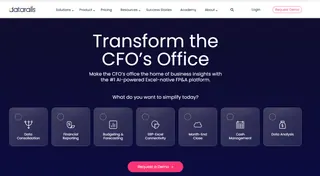
2. Datarails
Datarails is an FP&A (Financial Planning & Analysis) platform that enhances Excel with enterprise-grade automation and built-in predictive analytics.
Primary Function:
It allows finance teams to continue using their familiar Excel models while automating data consolidation, reporting, and planning in the background. Its next-generation AI feature helps uncover hidden business insights for proactive decisions.
Key Features:
AI-powered FP&A chat assistant, automated data workflows, mobile app, and robust financial reporting. It is known for user-friendliness and flexibility but does not offer a free trial.
3. SAP Analytics Cloud (SAC)
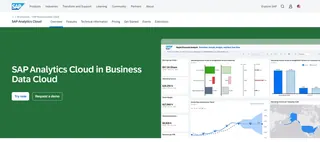
SAC is a unified cloud solution combining business intelligence, enterprise planning, and predictive analytics.
Primary Function:
It is designed for collaborative, strategic planning and forecasting, offering deep integration with the SAP ecosystem for organizations embedded within it.
Key Features:
Smart predictive forecasting, "what-if" scenario planning, interactive dashboards, and augmented analytics. It is powerful but can have a learning curve for non-technical users.
4. Alteryx
Alteryx is renowned for its end-to-end, low-code analytics platform that simplifies data blending, advanced analysis, and predictive modeling.
Primary Function:
It provides a visual workflow interface where users can prep, blend, and analyze data from hundreds of sources, and apply predictive tools without writing code.
Key Features:
Drag-and-drop predictive toolset (including forecasting and clustering), automated machine learning (AutoML), and a strong community. It is intuitive but can be costly.
5. Oracle Analytics
Oracle Analytics is a comprehensive, AI-powered platform for data preparation, visualization, and enterprise reporting.
Primary Function:
It offers augmented analytics, using machine learning to automate insight discovery and predictions, ideal for organizations heavily invested in Oracle's ecosystem.
Key Features:
Natural language querying ("Ask Oracle"), automated explanations, one-click predictive modeling, and seamless Oracle database integration.
6. RapidMiner
RapidMiner is a unified data science platform that supports the entire process from data prep to model deployment.
Primary Function:
It accelerates predictive model building through a visual, codeless interface and automated modeling (AutoML), suitable for both experts and beginners.
Key Features:
Visual workflow designer, a vast template library for use cases like predictive maintenance, and strong model operations (MLOps) tools for deployment.

7. Tableau
Tableau is a world-leading data visualization tool that has deeply integrated predictive analytics functionalities.
Primary Function:
It enables users to visually explore data and embed statistical forecasts directly into interactive dashboards and stories.
Key Features:
Built-in trend lines and forecasting, integration with advanced models from R, Python, or Salesforce Einstein, and unparalleled visual storytelling capabilities.
8. SAS Viya / SAS Advanced Analytics
SAS offers a robust, enterprise-grade platform for advanced statistical analysis and predictive modeling, favored by data scientists.
Primary Function:
SAS Viya is a cloud-enabled analytics engine that supports everything from data exploration to deploying complex machine learning models at scale.
Key Features:
A vast library of statistical and machine learning algorithms, visual data mining, and strong model governance and audit trails.
9. IBM SPSS Modeler
SPSS Modeler is a veteran in the predictive analytics space, focused on visual, rule-based predictive modeling and statistical analysis.
Primary Function:
It allows users to build predictive models using a drag-and-drop, node-based interface that represents a visual "recipe" for data.
Key Features:
A wide array of classic machine learning algorithms, visual workflows for complex data relationships, and integration with open-source tools.

10. ThoughtSpot
ThoughtSpot is an analytics platform that emphasizes search and AI-driven exploration.
Primary Function:
It allows users to ask data questions in natural language and get instant, automated insights with visualizations.
Key Features:
Natural language search, AI Analyst ("Spotter") for automated insights and anomaly detection, and live interactive data visualizations.

How to Choose the Right Predictive Analytics Tool
Selecting the right tool is a strategic decision. Use this framework to guide your evaluation:
1. Define Your Core Need & Users:
Start with the "why." Is your primary goal financial forecasting, marketing optimization, supply chain risk reduction, or something else? Simultaneously, assess who will use it. Is it for data scientists, business analysts, or company-wide decision-makers? The skill level of your users is the single biggest determinant of whether a powerful tool will be used or shelved.
2. Evaluate Technical and Business Fit:
- Integration: Can it connect seamlessly to your data sources (data warehouses, CRMs, ERPs, spreadsheets)?
- Scalability & Governance: Can it handle your data volume growth? Does it offer the security, audit trails, and model management required by your industry (especially important in finance or healthcare)?
- Functionality vs. Usability: Does it have the specific predictive techniques you need (time-series, regression, clustering)? More importantly, are those functions accessible to your intended users?
3. Analyze Total Cost of Ownership (TCO):
Look beyond the license fee. Consider costs for implementation, training, maintenance, and potential costs of low adoption. A moderately-priced tool that everyone uses often delivers better ROI than a "powerful" one that doesn't.
4. Prioritize Explainability and Trust:
The best predictions are useless if no one trusts them. Choose tools that provide clear explanations for their forecasts, allow for human oversight, and enable you to understand the "why" behind the "what."
Comparison at a Glance
| Tool | Primary User Persona | Key Strength | Ideal For |
|---|---|---|---|
| Excelmatic | Business/Financial Analysts | Web-based AI for Spreadsheets | Teams needing powerful predictions within their existing Excel/Sheets workflow |
| Datarails | Finance/FP&A Teams | Excel Automation & AI | Finance teams wanting to supercharge Excel with automation and AI insights |
| Alteryx | Data Analysts, Citizen Data Scientists | End-to-End Visual Workflow | Visual, code-free data blending, preparation, and modeling |
| SAP SAC | Enterprise Planners (SAP ecosystem) | Integrated Planning & BI | Large organizations deep in the SAP suite needing unified planning and analytics |
| Tableau | Business Users, Analysts | Data Visualization & Storytelling | Communicating insights through industry-leading, interactive visualizations |
| SAS Viya | Statisticians, Data Scientists | Advanced Statistical Modeling | Organizations with deep data science teams needing rigorous, governed models |
| ThoughtSpot | Business Users, Executives | Search & AI-Driven Discovery | Companies wanting a Google-like search experience for their business data |
Conclusion: From Insight to Foresight
The landscape of predictive analytics tools is diverse, each engineered for a different type of journey. Whether you need the industrial-strength modeling of SAS, the visual storytelling prowess of Tableau, or the enterprise integration of SAP Analytics Cloud, success hinges on aligning the tool's capabilities with your team's reality.
However, the most sophisticated engine is worthless if your team can't or won't drive it. This is where solutions like Excelmatic present a compelling strategic advantage by eliminating the adoption barrier. By embedding AI-powered predictive intelligence directly into the spreadsheet, it ensures immediate utility and seamless workflow integration. Teams can start forecasting faster, without the overhead of learning an entirely new platform.
Ready to move from hindsight to foresight? Stop letting complex tools delay your decisions. Start predicting with confidence today. Try Excelmatic for free and transform your spreadsheets into a dynamic forecasting engine in minutes.
Frequently Asked Questions (FAQ)
Q1: We don't have data scientists. Is implementing a tool like this feasible?
A: Yes, absolutely. Modern tools like Excelmatic and ThoughtSpot are designed for business users. They use natural language queries and AI to automate complex analysis, allowing teams to generate forecasts directly from their spreadsheets or data without coding.
Q2: What's the first step to ensure my team will actually use the tool?
A: Start with a single, high-impact use case. Instead of a broad rollout, use the tool to solve one pressing business question (e.g., "Forecast demand for our top product"). A quick, tangible win builds confidence and drives organic adoption better than any general training.
Q2: Is predictive analytics only for large enterprises with big budgets?
A: Not at all. The market now offers solutions for every scale. Mature open-source platforms (like the libraries within Anaconda) provide free, powerful foundations. Many cloud-based SaaS tools operate on flexible subscription models. The key is to match the tool's scalability and cost structure to your current data volume and team size.