Key takeaways:
- Excelmatic's predictive dashboards overlay forecasts on historical data, turning insights into actionable decisions.
- Teams can leverage trend analysis, regression forecasting, time series projection, and scenario-based analysis within one interactive dashboard.
- Predictive dashboards help businesses anticipate risks, optimize resources, and align decisions across departments.
- Real-world applications include Retail Dashboards, Customer Retention Dashboards, Operations Dashboards, and Business Forecast Dashboards.
- Excelmatic makes predictive insights accessible without complex modeling, accelerating decision-making and business foresight.
In today's data-driven business landscape, organizations are flooded with information but often struggle to turn it into meaningful action. Historical reports reveal what happened, and current dashboards show what is happening now, but the real advantage comes from anticipating what comes next.
Excelmatic addresses this need by offering predictive dashboards with embedded forecasting capabilities. Users can see projected trends, expected ranges for key metrics, and scenario-driven insights — all within a familiar spreadsheet interface — turning data into actionable foresight. With Excelmatic, tasks that once required hours of manual analysis, such as Quick Analysis of sales or operational data, can now be completed in seconds.
Predictive Dashboards: Bridging Insight and Foresight
Traditional dashboards show past performance or current states, but they rarely guide decisions about the future. Predictive dashboards, by contrast, overlay forecasts on historical data, helping teams anticipate outcomes and make proactive choices.
Excelmatic makes this seamless: users can visualize trend lines extending into future periods, highlight projected deviations, or explore expected ranges for key metrics.
For example, a sales manager can see how quarterly revenue may evolve over the next two quarters, while operations teams can anticipate inventory shortages or capacity bottlenecks before they happen. This combination of historical context and predictive foresight transforms dashboards into decision-enabling tools, where data tells a continuous story rather than ending in the past.
For teams handling Massive Data, Excelmatic ensures insights remain clear and actionable.
Types of Predictive Analysis
Understanding predictive analysis helps teams leverage dashboards effectively. Excelmatic supports several key approaches, visualized intuitively within your analytical dashboard:
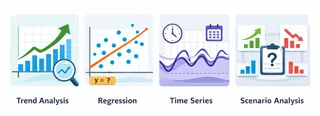
- Trend Analysis: Projects historical patterns forward, allowing teams to anticipate fluctuations in sales, traffic, or operational load.
- Regression-Based Forecasting: Estimates relationships between variables, helping users visualize how changes — like marketing spend—affect future outcomes.
- Time Series Projection: Identifies recurring patterns and seasonality to highlight peaks and troughs in metrics.
- Scenario-Based Analysis: Explores "what-if" questions, enabling teams to evaluate alternative futures, from supply delays to demand surges.
 By integrating these predictive approaches into an AI Dashboard framework, Excelmatic helps teams not only see forecasts but also understand and act on them—making Predictive Analytics approachable for everyone, from finance to marketing.
Why Predictive Dashboards Matter
In fast-moving business environments, traditional dashboards show what has happened but rarely help teams anticipate what comes next. Predictive dashboards change that by turning forecasts into actionable insight, enabling organizations to spot emerging trends, address risks early, and make decisions confidently.
For instance, a retailer can see projected sales declines before the month ends, enabling proactive inventory or marketing adjustments. Subscription services can identify customers at risk of churn, while finance teams can anticipate cash flow fluctuations. Predictive dashboards also align strategy across departments, as marketing, sales, and operations can share the same projected trends within one interface.
With Excelmatic, these forecasts are presented intuitively, combined with historical context, and ready for immediate action — whether in a Business Forecast Dashboard, Sales Dashboard for Revenue Tracking, or Customer Retention Dashboard.
In short, predictive dashboards turn uncertainty into clarity, insights into action, and data into foresight.
Real-World Applications
Excelmatic's predictive dashboards bring foresight to everyday business decisions:
- Retail and E-commerce: Anticipate product demand fluctuations, optimize inventory, and adjust promotions in advance using Retail Dashboards.
- Subscription Services and SaaS: Project engagement trends to proactively reduce churn, leveraging Customer Retention Dashboards.
- Manufacturing and Operations: Visualize expected production volumes and resource usage to plan efficiently via Operations Dashboards and Supply Chain Dashboards.
- Finance and Planning: Forecast revenue and cash flow using Business Forecast Dashboards to evaluate scenarios and make informed financial decisions.
Across industries, Excelmatic combines AI Data Analysis with powerful Data Visualization to make complex metrics accessible, interactive, and actionable.
Conclusion: Turn Predictions into Action with Excelmatic
Predictive dashboards are no longer a luxury — they are essential tools for organizations seeking clarity, foresight, and actionable insights. Excelmatic's embedded predictive models, interactive visualizations, and scenario-driven analysis empower teams to quickly interpret trends, anticipate outcomes, and align decisions across departments.
Whether you are building a Marketing Attribution Dashboard, a Project Tracking Dashboard, or a Strategic Dashboard, Excelmatic makes predictive insights accessible, intuitive, and ready for action.
Start using Excelmatic today to turn your data into foresight, accelerate decision-making, and unlock the full potential of your predictive analytics. Your dashboards won't just report the past—they will guide your organization into the future.
Frequently Asked Questions (FAQ)
Q1: What are predictive dashboards?
A: Predictive dashboards combine historical data with embedded forecasting models to anticipate future trends, risks, and opportunities in a visual, actionable way.
Q2: How does Excelmatic support predictive analysis?
A: Excelmatic integrates trend analysis, regression forecasting, time series projection, and scenario-based analysis directly within dashboards, making predictions interactive and easy to interpret.
Q3: Which business teams benefit from predictive dashboards?
A: Marketing, sales, finance, operations, and supply chain teams can all leverage predictive dashboards for smarter decision-making and proactive planning.
Q4: Can predictive dashboards improve business forecasting accuracy?
A: Yes. By visualizing projected trends and scenario outcomes, Excelmatic dashboards help teams anticipate deviations and make informed decisions faster.
Q5: Do I need advanced statistical knowledge to use Excelmatic predictive dashboards?
A: No. Excelmatic's embedded predictive models and intuitive visualizations allow teams to interpret forecasts and take action without advanced statistical skills.