Key takeaways:
- Prescriptive analytics prescribes specific actions and expected outcomes, turning insight into faster, less risky decisions.
- This article reviews the "8 Best Prescriptive Analytics Tools," summarizing each platform's core strength and primary use case to help you shortlist options.
- Two‑step selection: first match the tool to who will use it (skills and roles), then match it to the decision you need to optimize (operational vs. strategic).
- With many tools covered, narrow to 1—2 candidates and run a short POC focused on KPIs, integration requirements, and scalability.
You've run the reports. You've studied the dashboards. The picture is clear: sales dipped last quarter, customer engagement is sliding in specific segments, and production delays keep recurring across the same supply chain. You understand the what, and maybe even the why. But then the real question arises: What exactly should we do about it?
This is the moment many data-driven professionals hit, the gap between insight and action. If you've ever felt stuck here, seeing the trends but unsure which move to make first, how to prioritize, or which solution will actually deliver results, you're not alone.
That's exactly where prescriptive analytics steps in. If you're scanning the growing roster of prescriptive analytics tools, you're probably wondering how to pick the right one. But before you compare vendors, let's be clear about what prescriptive analytics actually is, and why it matters now more than ever.
What Is Prescriptive Analytics & Why Does It Matter?
Prescriptive analytics is the most advanced layer of business intelligence. It goes beyond describing past events (descriptive analytics) or forecasting future ones (predictive analytics). Instead, it recommends concrete actions to achieve desired outcomes and often forecasts the likely consequences of each option. Think of it this way:
- Descriptive analytics tells you, "We lost 10% of customers in Q2."
- Predictive analytics says, "If current trends continue, we could lose another 5% next quarter."
- Prescriptive analytics recommends, "To retain at‑risk customers, launch a targeted email campaign with personalized offers for Product X; this could boost retention by up to 8%."
In short, prescriptive analytics turns insights into actionable guidance. It combines data, algorithms, machine learning, and often simulation or optimization techniques to answer: What should we do, and why?
Why This Matters Now
We live in a world overflowing with data but short on clarity. Organizations don't lack information — they suffer from decision paralysis. With so many variables at play, gut instinct, even seasoned intuition, isn't enough to steer complex systems like supply chains, dynamic pricing, or personalized marketing. Prescriptive analytics matters because:
It reduces uncertainty. By modeling multiple scenarios, it quantifies trade-offs and points to the best path forward, even under unpredictable conditions.
It boosts efficiency. Rather than spending time debating options, teams can focus on executing the most evidence‑backed actions.
It drives better outcomes. Whether your goal is to increase revenue, lower risk, cut costs, or improve customer experience, prescriptive tools help you optimize toward that target.
In today's fast-moving environment, the ability to act quickly and intelligently on data is more than an advantage — it's essential. That's why prescriptive analytics has moved from a nice‑to‑have to a core capability for competitive businesses. With that foundation, you'll be ready to evaluate the tools that can bring this capability into your workflow, which is what we'll cover next.
Navigating the Top Prescriptive Analytics Tools
Selecting the right tool is critical for turning data into recommended actions. Below is a clear, practical overview of eight notable platforms, highlighting what they do best and key considerations for each.
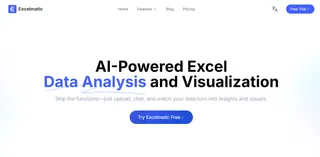
1. Excelmatic: The Conversational AI for Instant Analysis
- Core Strengths: Excelmatic's standout feature is its no-code natural language interface. Users ask questions or give tasks in plain language, then get rapid data cleaning, visualizations, and insight generation from spreadsheet data. It makes advanced analysis accessible to nontechnical users.
- Learning Curve & Considerations: It has the easiest learning curve and is built for quick productivity. It's ideal for individual analysts or small teams who need agility, rather than for replacing enterprise data science platforms.
2. Improvado: The Marketing & Sales Data Unification Engine
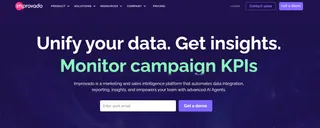
- Core Strengths: Improvado specializes in ETL and data aggregation for marketing and sales. It automates pipelines from 500+ sources (Google Ads, Meta, CRMs, and more) into a centralized warehouse, delivering the clean, unified dataset that reliable analytics require.
- Learning Curve & Considerations: Initial setup and deep integrations can need vendor support. It solves a critical consolidation problem but is a specialist tool; it's not a general-purpose analytics or modeling platform.
3. Alteryx: The Analytic Process Automation Workhorse
- Core Strengths: Alteryx is known for its drag-and-drop workflows for data blending, preparation, and advanced analytics. It automates repetitive analytic tasks and bridges data sources with BI tools through robust transformation capabilities.
- Learning Curve & Considerations: Building workflows is user-friendly, but mastering Alteryx's full capabilities requires significant training. It's powerful on-premise or in the cloud, though licensing can get expensive at scale.

4. RapidMiner: The Visual Data Science Platform
- Core Strengths: RapidMiner offers a unified visual environment for the full data science lifecycle, from data prep to model deployment. Its visual workflow designer is intuitive, and it supports inline Python and R for flexibility.
- Learning Curve & Considerations: The interface lowers the barrier to entry, but creating sophisticated predictive and prescriptive models still requires data science expertise. It strikes a balance between accessibility and technical depth.

5. IBM Decision Optimization: The Enterprise Optimization Suite
- Core Strengths: Part of the IBM Watson ecosystem, this suite targets large-scale, constraint-based business problems using operations research methods. It's built for complex cases like supply chain network design and detailed resource scheduling.
- Learning Curve & Considerations: The platform has a steep learning curve and requires mathematical modeling expertise. It's an enterprise-grade solution for specialized, high-impact optimization challenges.

6. SAS Viya: The Cloud-Native Enterprise AI Platform
- Core Strengths: SAS Viya is a comprehensive, modular cloud platform for advanced statistics, machine learning, and model governance. It emphasizes reproducibility and auditability, which makes it a favorite in regulated industries.
- Learning Curve & Considerations: It's a full-featured enterprise suite with high implementation and skill requirements, including SAS programming. It's best for large organizations with dedicated analytics teams.

7. Knime: The Open-Source Analytics Platform
- Core Strengths: Knime is a versatile open-source tool for building data science workflows through a visual, node-based interface. Its modular design and active community make it flexible for ETL and machine learning tasks.
- Learning Curve & Considerations: The visual approach is intuitive, but designing sophisticated workflows has a moderate to steep curve. It's a cost-effective option for teams willing to invest in open-source expertise.
8. Tableau (with Advanced Analytics): The BI & Visualization Leader
- Core Strengths: Tableau sets the standard for interactive visualization and BI. While primarily for descriptive analytics, it integrates with R, Python, and tools like Einstein Discovery to surface prescriptive model outputs inside intuitive dashboards.
- Learning Curve & Considerations: Creating basic visuals is straightforward, but mastering advanced calculations, dashboard design, and performance tuning requires time. Tableau is the best tool for sharing insights widely and encouraging data-driven discussion across an organization.
Prescriptive Analytics Tools at a Glance: Core Comparison
| Tool | Primary Strength | Learning Curve | Ideal User Profile |
|---|---|---|---|
| Excelmatic | No-code, conversational AI for instant spreadsheet analysis | Very Low | Business analysts & non-technical users needing quick answers |
| Improvado | Automated ETL & data unification for marketing/sales | Medium (initial setup) | Marketing/sales operations teams managing fragmented data |
| Alteryx | Visual workflow for analytic process automation | Medium to High | Data analysts & citizen data scientists automating workflows |
| RapidMiner | Unified visual platform for end-to-end data science | Medium | Data scientists & analysts building visual ML models |
| IBM Decision Optimization | Enterprise-scale mathematical optimization | Very High | Operations researchers & experts solving complex optimization |
| SAS Viya | Governed enterprise AI & model lifecycle management | Very High | Large enterprises in regulated industries requiring compliance |
| Knime | Flexible open-source visual data science platform | Medium to High | Data scientists & developers preferring open-source solutions |
| Tableau | Interactive data visualization & business intelligence | Low to Medium | Business users & executives sharing insights across organization |
How to Choose a Prescriptive Analytics Tool: A Two‑Step Quick Method
With so many tools available, you don't have to compare them all. Answer two simple questions and you can narrow your options to one or two best fits.
1. First step:
Look at who will lead the analysis — who's driving the work? This is the single most important filter.
- If your team is mainly business analysts or operations staff (non‑technical) and you need fast, directly actionable recommendations, consider:
- Excelmatic: natural‑language queries that deliver analysis and action suggestions. Fastest and lowest barrier to entry.
- Tableau: translates complex model outputs into interactive dashboards that business teams can explore and act on.
- If your team includes data scientists or technical analysts and you need to build and deploy custom optimization models, consider:
- RapidMiner / Knime: visual workflows to build advanced models from prediction to prescription, with high flexibility.
- Alteryx: automates complex data processing and analytic workflows to scale prescriptive solutions.
- IBM Decision Optimization / SAS Viya: for large‑scale, high‑complexity mathematical optimization or enterprise‑grade governance.
2. Second step:
Look at the problem type — what are you trying to optimize? On top of the people‑first filter, use your specific decision scenarios to lock in the final tool.
- If you need quick answers for everyday operational decisions (for example, "How should next month's budget be allocated?" or "Which customers need priority outreach?"), choose a conversational tool that gives immediate recommendations — Excelmatic fits this use case.
- If your main challenge is fragmented data that's hard to unify (such as combining multi‑channel marketing feeds), make Improvado your foundational layer.
- If your priority is complex resource allocation and scheduling (supply chain planning, shift rostering), IBM Decision Optimization is the specialist choice.
- If you must build compliant, auditable enterprise AI models, SAS Viya is the industry standard.
In short: match the people first, then match the problem. Start by ensuring the tool can be used effectively by your team, then pick the solution that best handles your most frequent and critical decision scenarios — this keeps you out of the weeds of feature comparisons and lets you make a practical, efficient choice.
Conclusion: Your Next Step with Prescriptive Analytics
Prescriptive analytics represents the next generation of business intelligence, empowering organizations to actively shape optimal outcomes rather than just predicting them. From optimizing healthcare operations and financial strategies to transforming marketing campaigns and supply chain logistics, this approach is redefining how data-driven decisions are made.
As we've explored, the key to unlocking this potential lies in selecting the right tool — one that aligns with your team's expertise and operational needs. With its intuitive, no-code interface and conversational AI capabilities, Excelmatic removes the traditional barriers to prescriptive analytics, enabling immediate and actionable insights without requiring extensive training or technical expertise.
Ready to move from prediction to prescription?
Start your journey with Excelmatic today and transform the way your organization leverages data to drive decisive action.
Frequently Asked Questions (FAQ)
Q: What exactly is prescriptive analytics and how does it differ from predictive?
A: Prescriptive analytics goes beyond forecasting by recommending specific actions and estimating their likely outcomes, while predictive analytics forecasts what might happen and descriptive analytics explains what happened.
Q: What are the key data prerequisites before evaluating tools?
A: Clean, unified data sources, consistent identifiers, and the ability to access or stream required datasets. Also verify latency requirements (batch vs. near‑real‑time) early on.
Q: Which tools are best for rapid business adoption vs. deep optimization?
A: Low‑code/visual options (e.g., Excelmatic, Tableau integrations) accelerate adoption and decision consumption; platforms like IBM Decision Optimization and SAS Viya handle deep, large‑scale mathematical optimization and governance.
Q: What common pitfalls should I avoid when selecting a tool?
A: Avoid choosing solely on feature lists or vendor demos. Focus first on user fit and data readiness, run a short POC, and evaluate integration, scalability, and total cost rather than feature parity alone.